Menu

Showing posts with label Httpd Monitoring. Show all posts

6 Sept 2018

Monitor Apache httpd Proxy balancer-manager status

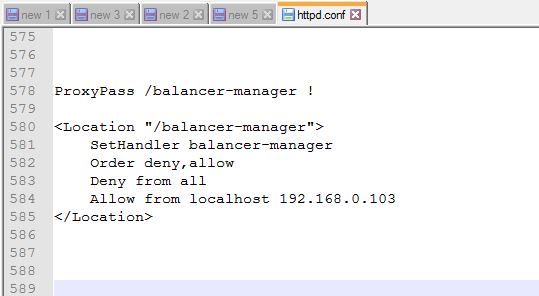
Step 1: For  Proxy balancer-manager status add below configuration in httpd.conf

Note: Enable "mod_status" module


###########################################

LoadModule status_module modules/mod_status.so 

<Location "/balancer-manager">
    SetHandler balancer-manager
    Order deny,allow
    Deny from all
    Allow from localhost 192.168.0.103
</Location>

ProxyPass /balancer-manager !

###########################################


Screenshot-1:


Screenshot-2:


Screenshot-3:


Reference link:


Thanks :-)


How to monitor Apache httpd ModJK status


Step 1: For Jk Status Manager status add below configuration in httpd.conf

Note: Enable "mod_status" module


############################################
LoadModule status_module modules/mod_status.so 

<Location "/jkstatus">
    JkMount status
    Order deny,allow
    Deny from all
    Allow from localhost 192.168.xxx.xxx
</Location>

JkMount   /jkstatus/*  status

############################################


Step 2: Edit workers.properties file  and add (status)  on worker & worker.list


## Status worker for managing load balancer

       worker.status.type=status

# #Define list of workers that will be used
# #for mapping requests

      worker.list=loadbalancer,status


Step 3: Use https://localhost/jkstatus


Reference link:  https://access.redhat.com/documentation/Mod_jk/Httpd

                              HTTP Status Codes - Code A Site Resource

Learn, 


Thanks :-)

Monitor Apache httpd process/thread status


Step 1: Enable "mod_status" module on $apache_home/conf/httpd.conf file.


Step 2: Add below lines to get status of  Apache server.


####################################

LoadModule status_module modules/mod_status.so 
ExtendedStatus On

<Location "/server-status">
    SetHandler server-status
    Order deny,allow
    Deny from all
    Allow from localhost 192.168.105.170 
</Location>

####################################


Step 3: Now, check through browser using  http://localhost/server-status

Screenshots : 


Thanks :-)